
In the competitive world of construction marketing, standing out visually is not just an advantage—it’s essential. With clients increasingly relying on first impressions to make decisions, compelling visuals can establish your professionalism, showcase your projects, and build trust even before a conversation begins.
As someone with hands-on experience in construction and digital marketing, I understand the importance of making a great first impression. In this guide, I’ll share five powerful graphic design tools that can transform your marketing efforts, tailored specifically for the construction industry.
What You’ll Learn
Here’s what we’ll explore in this article:
Why Graphic Design is Key for Construction Marketing
The critical role of visuals in attracting and retaining clients.
Detailed Reviews of the Top 5 Graphic Design Tools
Insights into Canva Pro, Adobe Creative Cloud, SketchUp, GIMP, and DocHipo.
Practical Examples for Construction Businesses
How to apply these tools to elevate your marketing efforts.
Actionable Tips for Getting Started
Advice to help both beginners and advanced users make the most of these tools.
Call to Action
Learn how our digital marketing services can help you get a free marketing plan.
Why Graphic Design is Crucial for Construction Marketing
The construction industry is built on trust, professionalism, and credibility. Before clients hire your services, they’re likely to evaluate your brand through your website, brochures, or social media presence. Strong visuals can make the difference between winning a project and losing out to a competitor.
Well-crafted graphics demonstrate that your business takes its presentation seriously. They help:
Communicate your expertise and reliability.
Showcase your past projects in the best light.
Highlight your company’s values and commitment to quality.
For small and medium businesses, investing in graphic design tools is a cost-effective way to produce high-quality visuals without hiring a dedicated designer. With the right tools, you can create everything from stunning social media posts to detailed 3D renderings of your projects.
Top 5 Graphic Design Tools for Construction Marketing
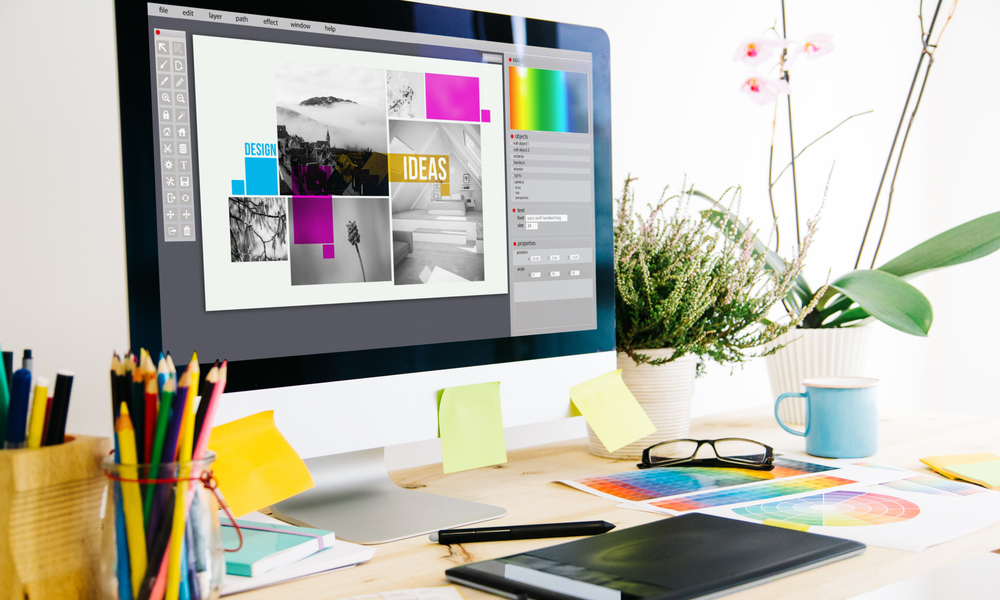
1. Canva Pro
Why It’s Great:
Canva Pro is perfect for construction businesses looking for an easy-to-use, professional tool without requiring advanced graphic design skills. Its drag-and-drop interface and vast library of templates make it accessible to beginners while offering advanced features for more experienced users.
Features for Construction Marketing:
Ready-made templates for construction portfolios, business cards, flyers, and social media posts.
A brand kit feature to maintain consistency across all marketing materials.
Team collaboration options for streamlined approvals and edits.
How to Use It:
Imagine creating a flyer to showcase a recently completed construction project. With Canva Pro, you can select a pre-designed template, upload your photos, add your branding, and adjust the colours to match your logo—all in minutes.
Affiliate Link: Try Canva Pro
2. Adobe Creative Cloud
Why It’s Great:
Adobe Creative Cloud is the gold standard for graphic design, offering unmatched versatility and precision. While it has a steeper learning curve, its tools are perfect for businesses ready to elevate their visuals to a professional level.
Features for Construction Marketing:
Photoshop for enhancing site photos and creating custom graphics.
Illustrator for designing logos and detailed construction diagrams.
InDesign for creating polished project proposals and reports.
How to Use It:
Suppose you need a professional presentation for a potential client. With Adobe Creative Cloud, you can create a proposal in InDesign, complete with project mockups designed in Photoshop and logos crafted in Illustrator.
Affiliate Link: Try Adobe Creative Cloud
3. SketchUp
Why It’s Great:
SketchUp is a game-changer for construction marketing. It offers powerful 3D modelling capabilities, allowing you to create realistic renderings and visualisations of your projects. Whether you’re designing a building layout or showcasing interior concepts, SketchUp delivers.
Features for Construction Marketing:
Intuitive 3D modelling tools for detailed project presentations.
Exportable designs for use in client proposals or marketing campaigns.
A wide library of pre-built models to save time.
How to Use It:
Picture this: You’re presenting a proposed building layout to a client. Using SketchUp, you create a 3D model of the structure, complete with landscaping and interiors. The visual impact is immediate, helping clients envision the final product and increasing their confidence in your capabilities.
4. GIMP (GNU Image Manipulation Program)
Why It’s Great:
GIMP is a robust, open-source alternative to Photoshop. It’s ideal for construction businesses on a budget, offering professional-grade tools for photo editing and graphic creation.
Features for Construction Marketing:
Comprehensive editing tools for refining photos of completed projects.
Layers and masks for creating complex graphics.
Compatibility with various file formats, making it versatile for different projects.
How to Use It:
If you’re updating your website’s project gallery, use GIMP to enhance images of completed builds. Adjust lighting, remove blemishes, and add your company logo for a polished, professional look.
5. DocHipo
Why It’s Great:
DocHipo stands out for its ease of use and focus on templates. It’s a fantastic choice for creating quick, professional designs tailored to marketing needs.
Features for Construction Marketing:
Templates designed specifically for marketing collateral like flyers and business cards.
A large library of stock photos, illustrations, and icons.
Integration with AI tools for added efficiency.
How to Use It:
Need a social media post to announce a new project? DocHipo lets you select a template, add your project details and photos, and publish the design—all within minutes.
Practical Applications of These Tools in Construction Marketing

Here are some creative ways to leverage these tools in your marketing strategy:
Before-and-After Visuals:
Use Canva Pro or Photoshop to create compelling before-and-after photos of renovation projects. These visuals are perfect for social media or client presentations.
Infographics:
Highlight key statistics about your company’s sustainability efforts or project timelines using tools like GIMP or DocHipo.
Client Proposals:
Impress potential clients with professional proposals designed in Adobe InDesign, complete with SketchUp renderings.
Social Media Campaigns:
Create cohesive social media posts using Canva Pro, ensuring consistent branding across platforms.
3D Visualisations:
Bring your designs to life with SketchUp, helping clients visualise projects in detail before construction begins.
Tips for Getting Started with These Tools
Here’s how you can begin integrating these tools into your marketing workflow:
Start Small: If you’re new to graphic design, begin with Canva Pro or DocHipo. These tools are beginner-friendly and will help you build confidence.
Invest Time in Learning: For more advanced tools like Adobe Creative Cloud or SketchUp, consider investing time in online tutorials to unlock their full potential.
Leverage Templates: Don’t reinvent the wheel—templates can save time while ensuring professional results.
Collaborate with Your Team: Tools like Canva Pro allow team members to collaborate on designs, streamlining the approval process.
Call to Action
Visual content can transform how your construction business communicates with clients. Whether you’re looking to attract new leads, impress potential partners, or showcase your expertise, the right graphic design tools can make all the difference.